

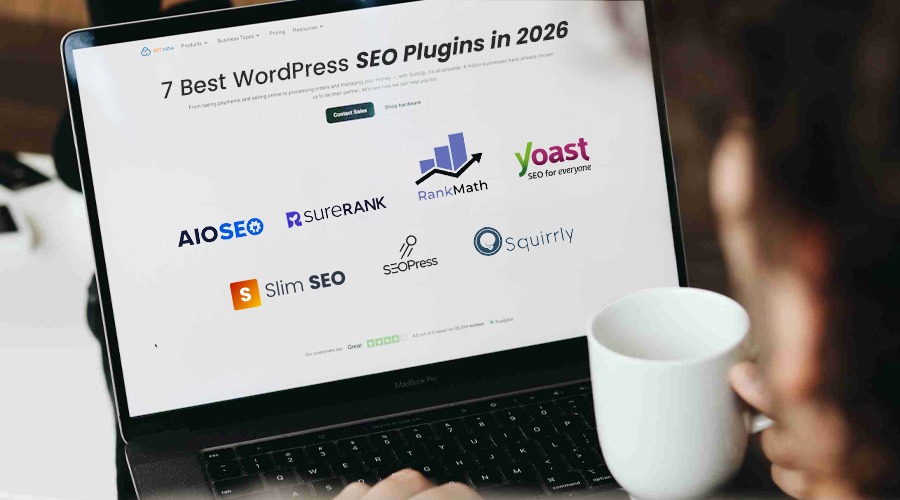
Key Takeaways:
- WordPress still runs over 40% of the web in 2026, so picking the right SEO plugin is mandatory.
- No single plugin fits every site: beginners lean toward Yoast or SureRank, while power users get more from Rank Math or AIOSEO.
- Automation-focused plugins like Slim SEO save time on technical SEO but trade off customization and advanced controls.
- AI-guided tools like Squirrly and SureRank are becoming the norm as search itself shifts toward AI Overviews and AI Mode.
- A plugin handles the technical groundwork, but it can’t replace a solid content and keyword strategy; that part’s still on you.
Building a WordPress website still feels daunting? Don’t worry. After reading this post, you won’t feel this way again.
You can create optimized, high-converting webpages that deliver modern experiences. But how? By using the most effective WordPress SEO plugins. WordPress SEO plugins enhance speed, strengthen security, and improve user experience. They optimize SEO, boosting rankings in search results. Without SEO plugins, your webpage is like a cart without wheels.
So, to make it run, let’s dive in:
All in One SEO (AIOSEO) for WordPress: The SEO Powerhouse
All in One SEO Pack for WordPress (AIOSEO) is the best SEO plugin available on the market. This user-friendly SEO toolkit is a go-to choice for over 2 million users. Without any intricate settings, it can place your website higher in search engine results.
Key Features:
- TruSEO Analysis—Gives an SEO score and suggestions to optimize posts and pages.
- XML Sitemap Generator – Automatically creates sitemaps to help search engines index your site.
- Advanced Schema Markup—Helps add structured data for better search visibility.
- Link Assistant—Suggests internal linking opportunities to improve SEO.
- Social Media Integration—Supports Open Graph and Twitter Cards for social sharing.
Pros
- A beginner-friendly setup wizard simplifies SEO configuration.
- Comprehensive SEO tools in one plugin for on-page and technical SEO.
- Powerful schema and automation features improve search appearance.
- WooCommerce and local SEO support built into premium plans.
- Regular updates to match search engine changes.
Cons
- The free version has limited advanced features.
- The interface can feel crowded for beginners.
- Premium pricing may be costly for small sites.
- Smaller community compared to some competitors.
- A heavy feature set can add complexity if you need only basic SEO tools.
Pricing
- Free Plan – Basic SEO tools like meta tags and sitemap generation.
- Basic Plan – About $49.50/year for 1 site.
- Plus Plan – About $99.50/year for 3 sites.
- Pro Plan – About $199.50/year for 10 sites.
- Elite Plan – About $299.50/year for 100 sites.
Best for
Site owners who want one plugin that does it all, from schema to WooCommerce SEO, without juggling five different tools.
Yoast SEO: The WordPress SEO Classic
Yoast SEO is one of the most prominent WordPress SEO plugins. This tool is highly suitable for optimizing WordPress-based websites. This plugin lets you add SEO descriptions and titles to your website’s posts and pages. Moreover, it gives you a free hand to add Open Graph information as well as social media images to your WordPress website.
Features
- SEO & Readability Analysis—Provides real-time suggestions to improve content SEO and readability.
- XML Sitemap Generation—Automatically creates sitemaps for faster search engine indexing.
- Schema & Structured Data – Adds schema markups to help search engines understand your content.
- Social Media Preview—Shows how your content will appear when shared on social platforms.
- Internal Linking Suggestions (Premium)—Recommends relevant internal links while writing content.
Pros
- Beginner-friendly interface with the popular traffic-light SEO scoring system.
- Strong technical SEO foundation, including schema, meta tags, and sitemaps.
- Regular updates to stay aligned with search engine changes.
- Large community, tutorials, and documentation support.
- Seamless integration with WordPress and WooCommerce.
Cons
- The free version lacks advanced features like redirects and multiple keywords.
- The premium version can be expensive for multiple websites.
- The plugin may slightly slow down websites on limited hosting resources.
- SEO suggestions can sometimes lead to over-optimization.
- Only works with WordPress, not other CMS platforms.
Pricing
- Free Version—Basic SEO tools like meta tags, sitemaps, and single keyword optimization.
- Premium Plan—Around $89–$118.80 per year for 1 site with advanced SEO features.
Best for
Beginners who want a trusted, well-documented plugin with a huge support community backing it up.
SEOPress: The Lightweight SEO Optimizer
SEO Press is one of the most preferred WordPress SEO plugins. This is the best plugin option for beginners to set up. The tool also offers advanced controls for experienced WordPress professionals.
Features
- XML & HTML Sitemap Generator—This WordPress SEO plugin automatically creates sitemaps to help search engines index your pages faster.
- Schema Markup Builder—Adds structured data like articles, products, FAQs, and events to improve search visibility.
- Redirection Manager—Manages 301, 302, and other redirects with built-in 404 error monitoring.
- Local & WooCommerce SEO—Optimizes local business listings and e-commerce product pages.
- Analytics Integration Dashboard—Displays Google Analytics and other SEO stats directly in WordPress.
Pros
- Affordable pricing compared to many premium SEO plugins.
- Clean and lightweight interface with no ads or upsells.
- The white-label option is useful for agencies managing client websites.
- Unlimited keyword optimization is available in the free version.
- Strong integration with WordPress tools and page builders.
Cons
- Smaller community and fewer tutorials compared to popular plugins.
- Advanced settings may require technical knowledge.
- Readability analysis tools are less detailed than competitors.
- No built-in keyword rank tracking without add-ons.
- Some advanced SEO features are limited to the Pro version.
Pricing
- Free Version—Includes core SEO tools like meta tags, sitemaps, and social sharing.
- SEOPress Pro (1 site)—About $49/year with advanced SEO features and support.
- SEOPress Pro (5 sites)—About $59/year with the same premium features.
- SEOPress Pro (Unlimited sites)—About $149/year for agencies or multiple websites.
- SEOPress Insights Add-on—About $99/year per site for keyword and backlink tracking.
Best for
Agencies and budget-conscious users who want unlimited keyword optimization without the upsells.
Rank Math: The Smart SEO Automation Tool
Rank Math is one of the most popular WordPress SEO plugin options. It offers two modes—easy and advanced. Easy mode works well for websites that need only basic changes. With advanced mode, you can also control SEO. You can switch between them as needed.
Features
- Advanced SEO Analysis—Provides detailed on-page SEO suggestions and scoring to optimize your content.
- Multiple Keyword Optimization—Allows optimizing posts for several focus keywords on a single page.
- Schema Markup Generator – Adds structured data like articles, FAQs, and products for better search visibility.
- Built-in Rank Tracker—Tracks keyword rankings directly inside the WordPress dashboard.
- 404 Monitor & Redirection Manager—Detects broken links and lets you create redirects easily.
Pros
- Feature-rich free version compared to many WordPress SEO plugins.
- Clean and user-friendly interface with an easy setup wizard.
- Built-in modules like schema, redirection, and analytics reduce plugin dependency.
- Lightweight design that maintains good website performance.
- Strong integration with WordPress, WooCommerce, and Google services.
Cons
- A large number of features can feel overwhelming for beginners.
- Some advanced modules are available only in the Pro version.
- Frequent updates may require occasional compatibility checks.
- Smaller support community compared to older plugins like Yoast.
- Improper configuration may lead to SEO conflicts with other plugins.
Pricing
- Free Version – Includes core SEO tools like keyword optimization, schema, and analytics integration.
- Pro Plan – Around $69/year with advanced SEO tracking and automation features.
- Business Plan—Around $199/year with client website management tools.
- Agency Plan – Around $499/year for agencies managing multiple websites.
Best for
Power users who want a feature-packed free plan and don’t mind a bit of a learning curve.
Squirrly SEO: The AI-Guided SEO Assistant
Squirrly SEO is a perfect blend of an AI-powered WordPress plugin and a SaaS model. It incorporates features from Google Search Console and Analytics and uses data and algorithms to deliver the best outcomes for WordPress. Squirrly SEO works well with 2 eminent plugins—WP Super Cache and WP Rocket. This approach enhances site speed and boosts performance.
Features
- SEO Live Assistant—Gives real-time SEO suggestions while writing content in WordPress.
- Keyword Research Tool – Helps discover profitable keywords and related search terms.
- SEO Audit Suite—Scans your website to detect issues like duplicate meta tags or broken links.
- Rank Tracking System – Monitors keyword rankings and SEO performance across search engines.
- Focus Pages Feature—Identifies pages that need optimization to improve rankings.
Pros
- AI-powered SEO guidance helps beginners optimize content easily.
- Real-time optimization suggestions improve on-page SEO while writing.
- Built-in training and tutorials help users learn SEO fundamentals.
- Comprehensive SEO tools, including keyword research and audits, in one plugin.
- The cloud + plugin system allows integration with analytics and ranking data.
Cons
- No backlink analysis tools compared to advanced SEO platforms.
- Limited integrations with external SEO tools.
- Customization options may feel limited for advanced users.
- Some users reported performance lag in recent updates.
- Learning curve due to many features and settings.
Pricing
- Free Plan – Basic keyword research and limited SEO audit features.
- Pro Plan—Around $9.99/month with extended keyword research and SEO tools.
- Business Plan—Around $71.99/month with advanced analytics and multi-site support.
Best for
Writers who want real-time, AI-guided suggestions while they’re actually drafting content.
Slim SEO: The Minimalist SEO Automation Plugin
Slim SEO is a lightweight, complete package of SEO plugins. It can automatically configure your WordPress site. It’s easy to install, and it activates the plugins soon after installation. Slim SEO is unique in many ways, including providing meta tags, generating XML sitemaps, adding descriptions, automatically adding file names, and more.
Features
- Automatic Meta Tags—Automatically generates meta titles and descriptions for posts and pages.
- XML Sitemap Generator—Creates XML sitemaps to help search engines index your site faster.
- Schema Markup Integration – Adds structured data (JSON-LD) to improve search results.
- Social Media Meta Tags—Supports Open Graph and Twitter cards for better social sharing.
- Breadcrumb Navigation—Generates SEO-friendly breadcrumbs for improved site structure.
Pros
- Extremely lightweight plugin that keeps website performance fast.
- Fully automated SEO setup requiring almost no configuration.
- Clean and simple interface ideal for beginners.
- Handles essential SEO tasks like meta tags and sitemaps automatically.
- Works well with most WordPress themes and page builders.
Cons
- Limited advanced SEO features compared to plugins like Rank Math or Yoast.
- No built-in content analysis or SEO scoring system.
- Fewer customization options for advanced users.
- Smaller community and fewer tutorials available.
- Some advanced functions are available only through separate add-ons.
Pricing
- Free Version—The core plugin is free and includes essential SEO features.
- Slim SEO Schema Add-on – Around $39/year for advanced schema options.
- Slim SEO Link Manager Add-on—Around $39/year for internal link management features.
Best for
Anyone who just wants SEO basics handled automatically, with zero configuration headaches.
SureRank: The Next-Gen SEO Optimizer
SureRank is a modern SEO plugin designed to simplify website optimization for WordPress users. It uses AI-powered suggestions to guide content improvements and technical SEO tasks. The plugin focuses on automation and ease of use, helping beginners manage SEO without deep expertise while still improving visibility and search performance.
Features
- AI SEO Recommendations—Provides automated suggestions to improve on-page SEO performance.
- Keyword Optimization—Helps optimize pages for target keywords with guided suggestions.
- Content Score Analysis – Evaluates your content and gives an SEO score for improvement.
- Google Search Console Integration—Connects with GSC to show keyword and performance insights.
- Automated SEO Setup—Simplifies technical SEO tasks with minimal manual configuration.
Pros
- AI-driven optimization helps beginners follow SEO best practices easily.
- The simple and clean interface makes the plugin easy to use.
- Automation reduces manual SEO configuration work.
- Seamless integration with WordPress websites.
- Useful insights for improving content visibility.
Cons
- Relatively new plugin with a smaller user community.
- Fewer advanced SEO features compared to larger tools.
- Limited customization options for experienced SEO professionals.
- Some advanced features may require premium plans.
- Still evolving with ongoing updates and improvements.
Pricing
- Free Version—Includes basic SEO tools and integration features.
- Pro Plan – Around $49–$69/year depending on the number of websites.
Best for
Beginners who want AI doing the heavy lifting on technical SEO tasks they’d otherwise have to learn from scratch.
Quick Comparison Table
| Plugin | Best For | Free Plan | Starting Price | Standout Feature |
|---|---|---|---|---|
| AIO SEO | All-in-one SEO management | Yes (basic) | $49.50/yr | True SEO Analysis + Link Assistant |
| Yoast SEO | Beginners & big community support | Yes (basic) | $89–$118.80/yr | Readability + SEO traffic-light scoring |
| SEOPress | Agencies & budget users | Yes (unlimited keywords) | $49/yr | White-label option, no upsells |
| Rank Math | Power users wanting free features | Yes (feature-rich) | $69/yr | Built-in rank tracker + multi-keyword SEO |
| Squirrly SEO | Real-time AI content guidance | Yes (basic) | $9.99/mo | SEO Live Assistant while writing |
| Slim SEO | Zero-config automation | Yes (core features) | Free (add-ons $39/yr) | Fully automatic setup, no manual work |
| SureRank | Beginners wanting AI-driven setup | Yes (basic) | $49–$69/yr | GSC integration + automated SEO setup |
Why WordPress SEO Plugins Are Crucial in 2026
The way people search has moved well beyond typing a few keywords into Google and clicking the first result. Search now includes AI Overviews and AI Mode, so websites need content that is easy to understand, technically sound, and properly organized. Google itself continues to recommend following solid SEO practices for its newer generative search features.
For a WordPress website, SEO now comes down to three main areas:
Everyday SEO:
Keywords, title tags, meta descriptions, XML sitemaps, canonical URLs, and internal links still matter. These basic elements help search engines understand what each page is about and how the pages on your site connect.
Technical SEO:
A website also needs to load properly, work well on phones, remain accessible to search crawlers, and provide a smooth browsing experience. Google specifically recommends focusing on Core Web Vitals, mobile usability, security, and other page-experience factors.
SEO for AI Search:
Clear headings, useful answers, logical page structure, and appropriate structured data can make your content easier for search systems to interpret. Google says its existing SEO best practices continue to matter as its generative AI search features develop.
This is where a good WordPress SEO plugin can save time. Instead of checking every technical detail by hand, you can use a plugin to handle things such as XML sitemaps, redirects, metadata, canonical settings, and schema. It doesn’t replace good content or a proper SEO strategy, but it can make routine work much easier to manage.
A few numbers worth knowing
WordPress remains a major part of the web in 2026. According to W3Techs, 40.7% of all websites use WordPress, giving it a 58.9% share among websites with a known CMS.
Google also recommends aiming for good Core Web Vitals, including LCP of 2.5 seconds or less, INP below 200 milliseconds, and a low CLS score.
That makes SEO plugins useful for more than simply adding keywords and meta descriptions. They give WordPress site owners a practical way to keep important SEO settings in one place while the search landscape continues to change.
Sum It Up
An effective WordPress SEO plugin optimizes your website and makes it future-ready. From SEO and speed to security and analytics, it handles every aspect of the website. These top 7 tools help your website to rise above the noise without creating intricacies.
So, ask the vendor the following questions before investing in any stylish plugin:
If you get any obscure answers, skip that option.
Because in 2026, your WordPress website requires a result-driven solution, not any overstuffed plugin site. So, partner with TTC SEO India and see how your WordPress-based website drives innovative results. Call our SEO experts today and let us guide you to the next step of success!